
Appearance
Customer Portal
The Customer Portal gives you secure access to the files Vadzo has shared with you. To sign in, see Sign in to the Customer Portal.
Home
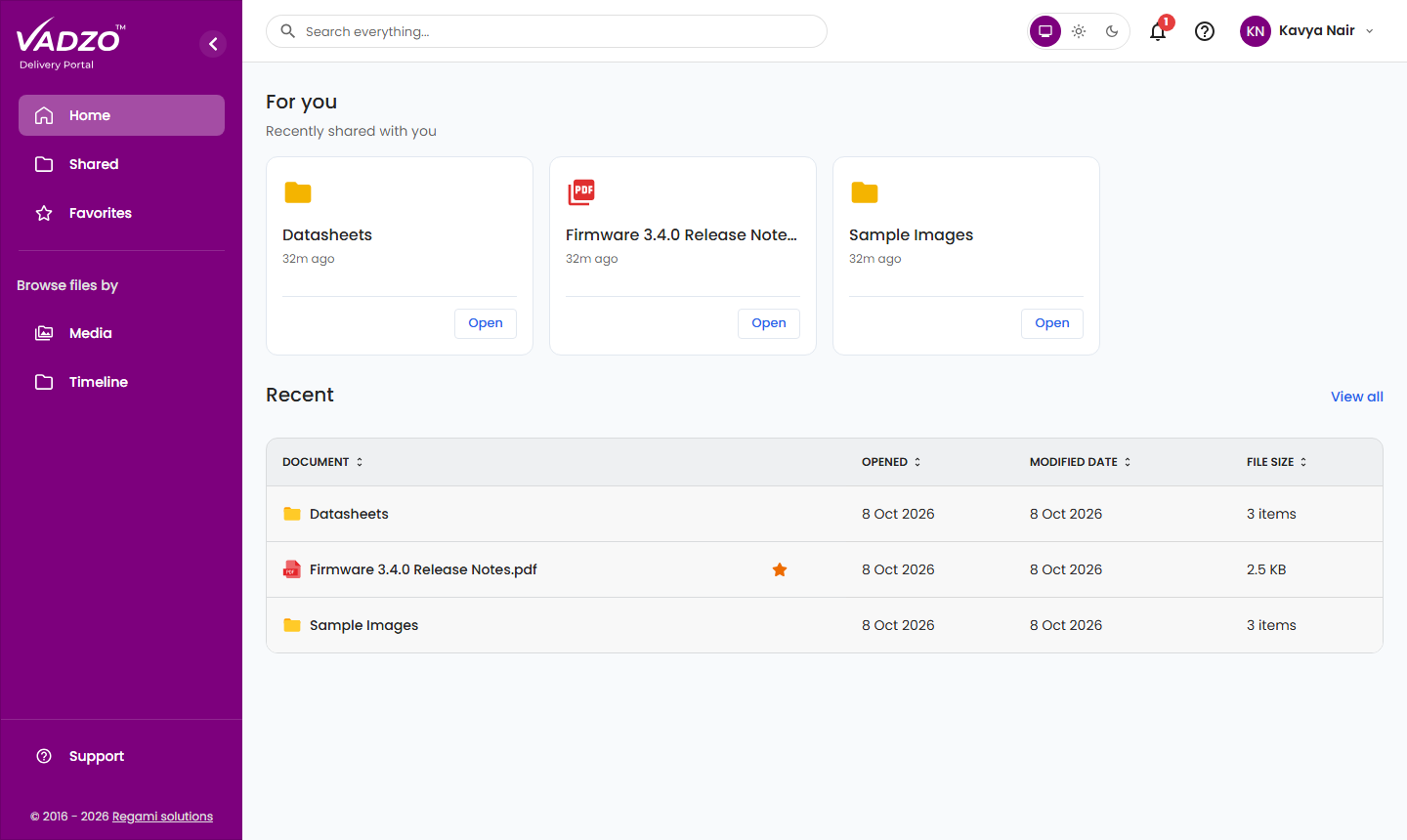
The Home page opens after you sign in.
- For you — Recently shared with you shows up to four of the most recently shared files and folders. Click Open to view an item.
- Recent lists up to 10 of the most recently shared files and folders, with the Document name, Opened (shared) date, Modified date and File Size. Click View all to open the Shared page.
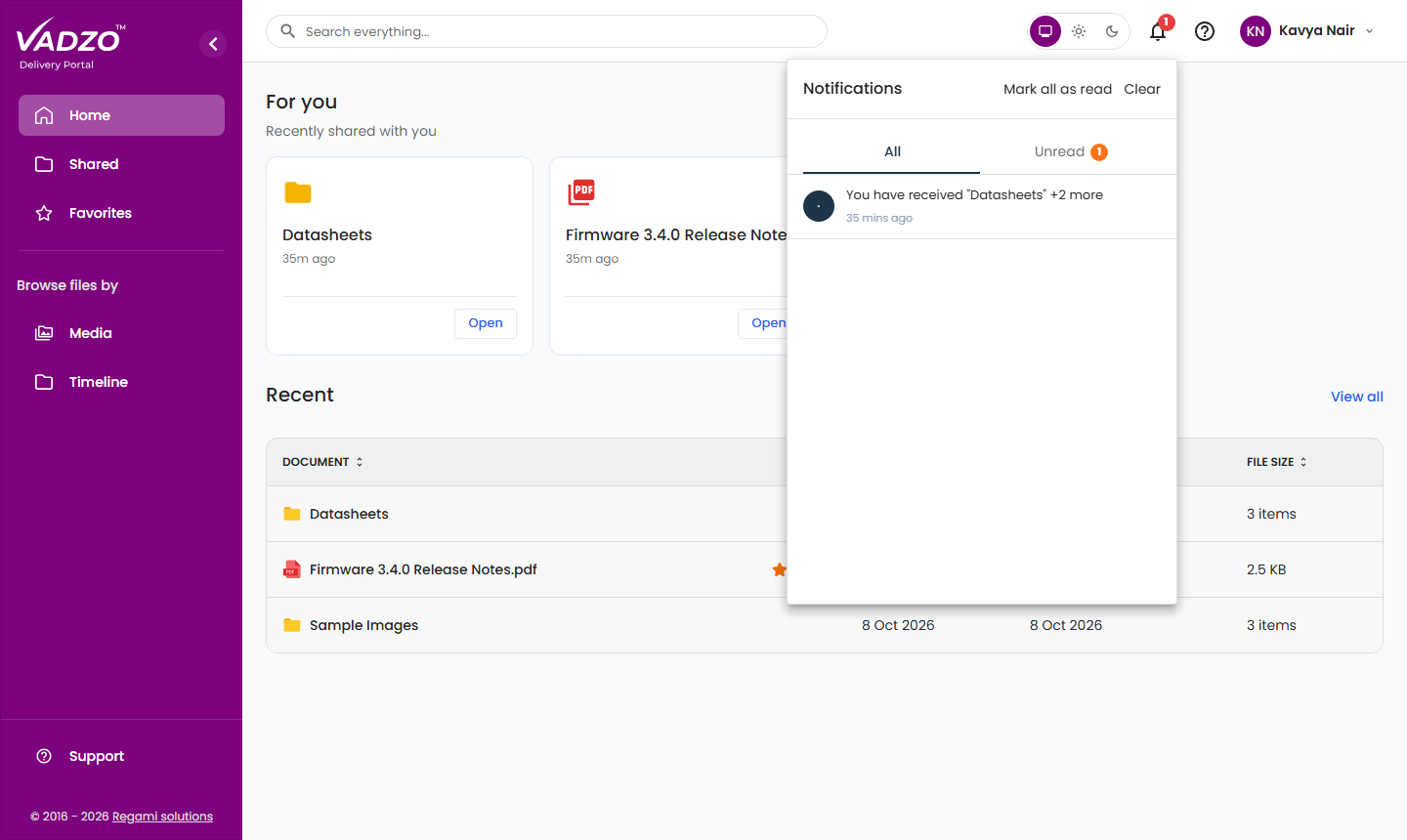
When new files are shared with you, or a file is revoked, you receive a notification. Click the bell icon to view it.
Portal sections
Shared
Browse all files and folders shared with you.
Favorites
Access your favorite items and organize files with personal tags.
Media & Timeline
View images and videos in a gallery, or browse files by date.
Support
Raise a support ticket and correspond with the Vadzo support team.
| Menu item | Description |
|---|---|
| Home | Recently shared files and folders |
| Shared | All files and folders shared with you |
| Favorites | Items you have added to favorites |
| Browse files by | |
| Media | Images and videos |
| Timeline | Files grouped by date |
| Support | Your support tickets |
INFO
The Customer Portal is designed for viewing, organizing and downloading the files shared with you. Files cannot be uploaded, renamed, moved or deleted. If a change is required, contact Vadzo through Support.