
Appearance
Dashboard
The Dashboard is the first page you see after signing in to the Admin Portal. It summarizes the items that need your attention and recent delivery activity.
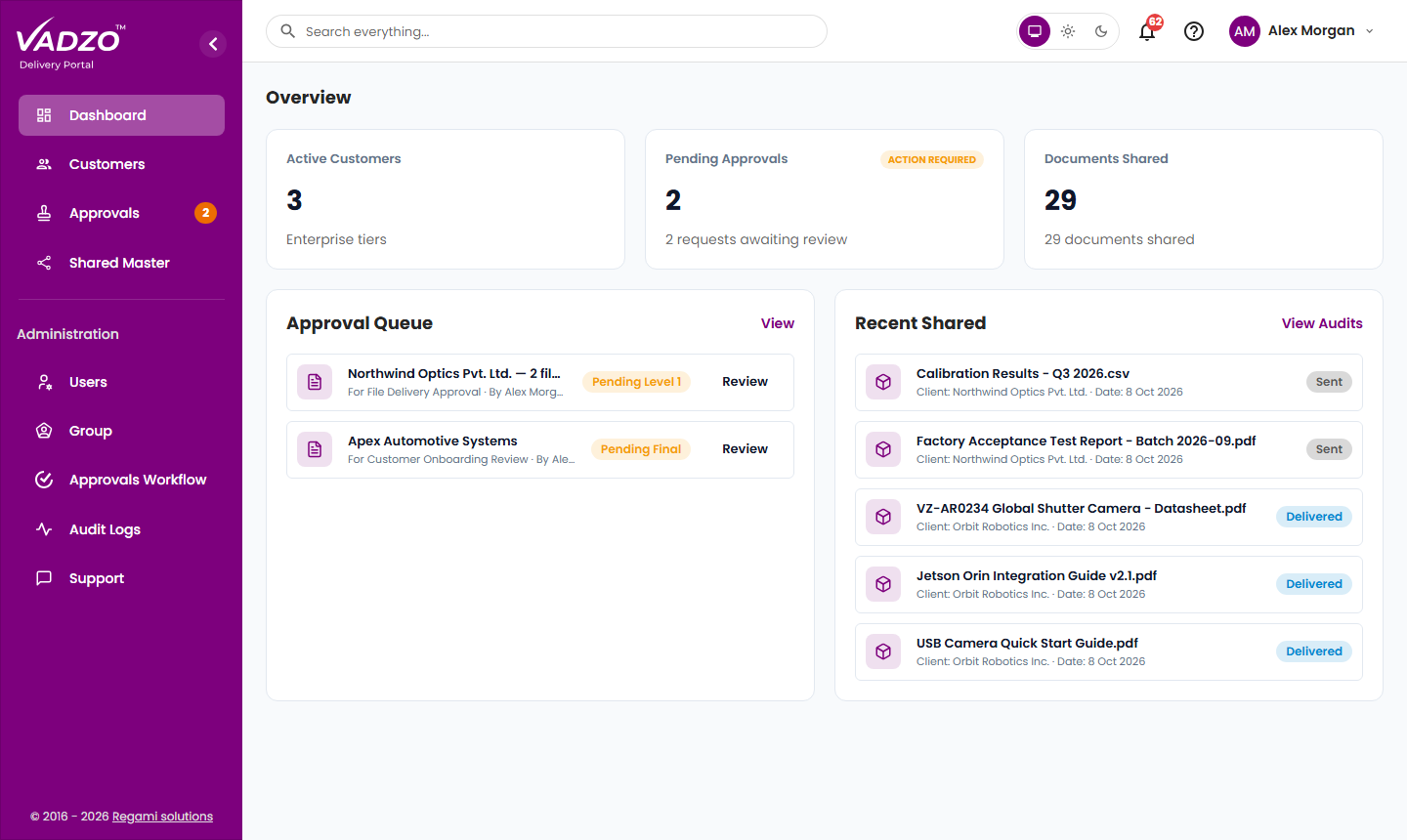
Summary cards
| Card | Description | Required permission |
|---|---|---|
| Active Customers | The number of active customer companies. | Customer details |
| Pending Approvals | The number of requests awaiting your decision. For Super Admins, all pending requests. An ACTION REQUIRED label appears when requests are waiting. | None |
| Documents Shared | The number of files you have shared that are approved and still available to customers. | Shared Data |
Approval Queue
The Approval Queue lists up to five requests awaiting your decision, with the current stage of each. For Super Admins, the queue includes the newest pending requests across VDP.
| Label | Meaning |
|---|---|
| Pending Level N | Awaiting approval level N |
| Pending Final | Awaiting the last approval level. A single-level workflow shows Pending Final immediately. |
Click Review to open a request. For details, see Review Approvals.
Recent Shared
Recent Shared lists your five most recent file shares and their status. It requires the Shared Data permission.
| Status | Meaning |
|---|---|
| Delivered | Approved and available to the customer |
| Sent | Submitted and awaiting approval |
| Rejected | Not approved |
Navigation
| Menu item | Description | Guide |
|---|---|---|
| Dashboard | Summary of activity | This page |
| Customers | Customer list, onboarding and customer details | Manage Customers |
| Approvals | Requests awaiting your decision | Review Approvals |
| Shared Master | All files delivered to customers | Shared Master & Revoke |
| Administration | ||
| Users | Admin Portal user accounts and invitations | Users |
| Group | User groups and permissions | Groups |
| Approvals Workflow | Approval workflow configuration | Approval Workflows |
| Audit Logs | Activity history | Audit Logs |
| Support | Customer support tickets | Support Tickets |
TIP
The menu shows only the pages your role and group permissions allow. See Roles & Permissions.